How to download your document:
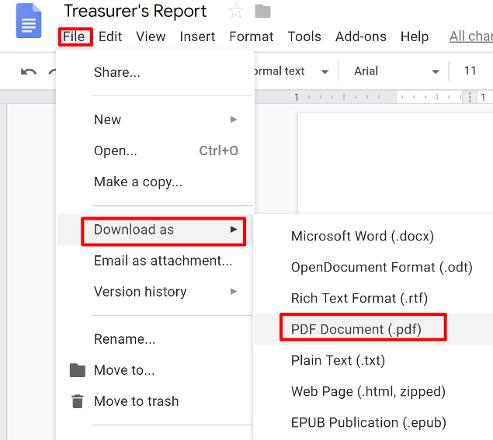
1. Go to "File" ---> "Download As" ---> "PDF Document (.pdf)"
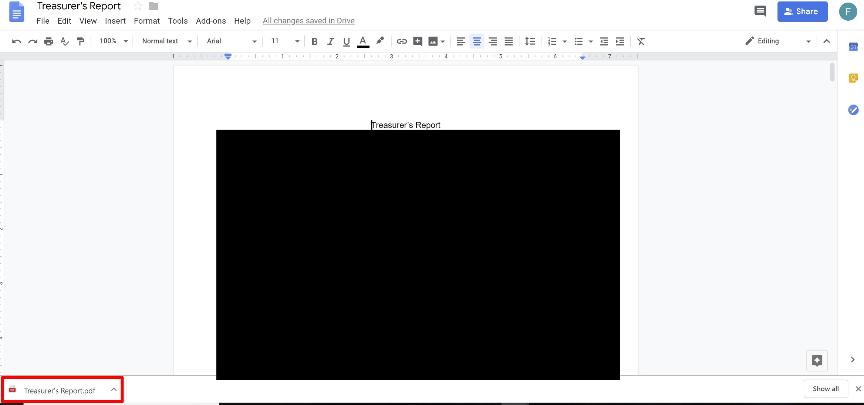
2. You will then get a little download box on the bottom. Wait until it's finished. Here are picture of it when the download is finished
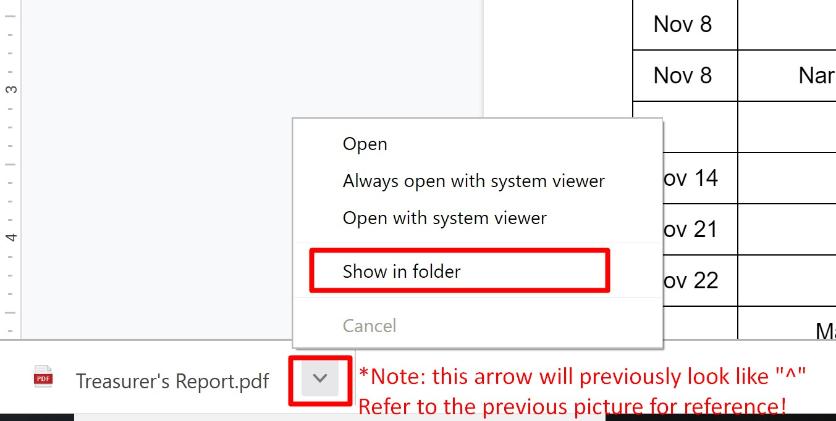
3. Now, click the arrow and press "Show in Folder"
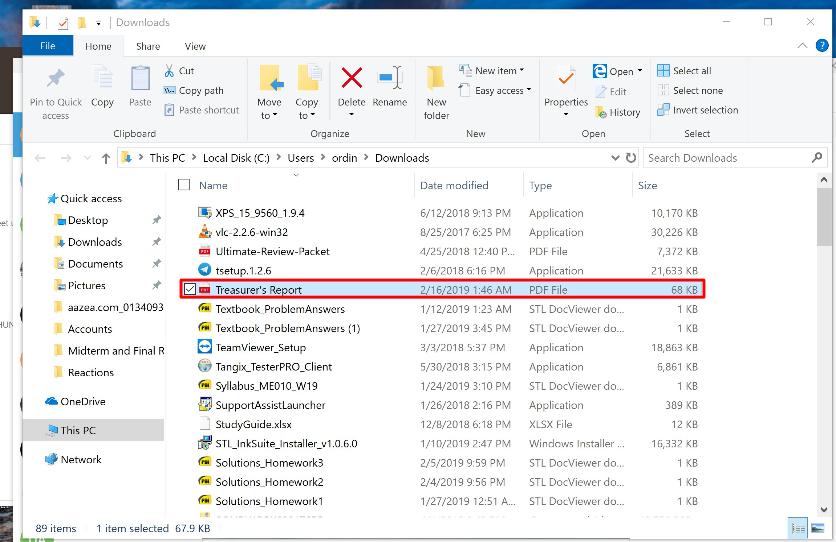
4. It will now open a folder and show the file, highlighted! You can now plug in your USB and drag the file to your USB folder!
If you have any questions, just text me (or call dad).
Good luck Lala! You can do it!